
Email: ainlbusshelter@gmail.com | WhatsApp: +86-18800607527
Views: 288 Author: Ainl Bus Shelter Publish Time: 2026-10-22 Origin: Site


Content Menu
● Interactive Bus Shelter vs Standard Transit Shelter: Key Differences
● How an Interactive Bus Shelter Improves Passenger Engagement
>> Real-Time Information Reduces Uncertainty
>> Interactive Journey Planning Supports Unfamiliar Trips
>> Useful Engagement Is Not the Same as More Screen Time
● Why a Standard Transit Shelter Can Still Be the Better Choice
>> Straightforward Infrastructure Fits Straightforward Stops
>> Shelter Quality Comes Before Digital Features
● Accessibility: Physical Access and Digital Access Must Work Together
>> Protect the Passenger Route
>> Make Information Available Without Touch
● Outdoor Performance: Compare the Complete System
>> Specify Readability, Not Just Screen Size
>> Design for Repair Before Installation
● Power, Connectivity, and Solar Bus Shelter Options
● Digital Advertising: Keep Passenger Information First
● Total Cost of Ownership: Look Beyond the Purchase Price
● A Practical Pilot: Test Passenger Value Before Scaling
>> Step 1: Establish a Baseline
>> Step 2: Choose Representative Stops
>> Step 3: Define Acceptance Measures
>> Step 4: Test Failure Conditions
>> Step 5: Review Results Before Expansion
● How Ainl Supports Customized Bus Shelter Projects
● Plan a Shelter Around Your Passengers
>> What Is the Main Difference Between an Interactive Bus Shelter and a Standard Transit Shelter?
>> Does a Digital Advertising Screen Make a Shelter Interactive?
>> Can an Existing Transit Shelter Be Upgraded?
>> Can an Interactive Bus Shelter Operate on Solar Power?
>> Which Shelter Type Is Better for Passenger Engagement?
>> What Should Buyers Send to Ainl for an Initial Proposal?
An interactive bus shelter helps passengers access live arrival information, explore routes, and respond to service changes. A standard transit shelter focuses on weather protection, seating, and clearly displayed travel information. Both serve an essential purpose. The right choice depends on what passengers need at a particular stop—and what the operator can reliably maintain.
At Ainl, our approach to smart bus shelter development starts with one principle: usefulness. Technology should make a journey easier, not simply make a shelter look more advanced.
Drawing on 16 years of experience in public facilities and outdoor advertising products, we see the strongest solutions as a combination of durable construction, accessible design, dependable information, and practical maintenance.
This comparison explains where each shelter type performs best, what technology genuinely adds, and how buyers can evaluate a project before committing to a specification.

A standard transit shelter usually combines a protective roof, structural frame, seating, and static route information. It may also include lighting and an illuminated advertising panel.
An interactive bus shelter adds ways for passengers to request information or interact with services. These may include touchscreen journey planning, push-button audio announcements, multilingual navigation, and accessible controls.
A digital screen alone does not necessarily make a shelter interactive. A display showing advertisements or arrival predictions provides information; interactivity begins when passengers can make a selection or request a response.
| Comparison point | Standard transit shelter | Interactive bus shelter |
|---|---|---|
| Primary function | Protection and basic travel guidance | Protection, live information, and user interaction |
| Passenger information | Printed maps and timetables | Live arrivals, searchable routes, and service alerts |
| Engagement | Reading fixed information | Planning journeys and requesting assistance |
| Accessibility | Physical access and readable signage | Physical access plus accessible digital interfaces |
| Power requirements | Limited or none, depending on equipment | Depend on screens, connectivity, and other devices |
| Maintenance | Structure, glazing, seating, and lighting | Physical maintenance plus software and electronics |
| Advertising | Static or illuminated posters | Optional digital campaigns and interactive content |
| Suitable locations | Simpler stops with limited operational resources | Interchanges and stops with complex information needs |
These categories overlap. A conventional shelter can receive a real-time display without becoming a full interactive installation.
Passengers waiting at a stop usually want three answers:
- Is my bus coming?
- How long will I wait?
- Has the route changed?
Printed timetables communicate scheduled service. Connected displays can communicate predicted arrivals and disruptions, provided the underlying data is available and reliable.
Research on real-time transit information has associated its use with improved waiting experiences. A Seattle study reported that mobile information users waited almost two minutes less than non-users, while their perceived waiting time more closely matched measured waiting time.
However, this was research on mobile information—not proof that installing a shelter screen automatically produces the same result. The practical lesson is narrower: timely information can help passengers make better decisions.
A static route map works well when passengers already understand the network. Visitors and occasional riders may need more guidance.
An interactive transit shelter can let users:
- Search for a destination.
- Identify the correct route and boarding point.
- Review transfer options.
- Select a preferred language.
- Check disruption information.
The interface should prioritize common tasks. Finding the next departure should not require navigating several screens.
From a product-design perspective, a successful interaction can be very short.
A passenger who finds the correct departure in ten seconds may receive more value than someone who spends two minutes struggling with a complicated menu.
Project teams should therefore measure task completion and information clarity—not simply touchscreen activity.
A standard transit shelter remains a strong option where routes are simple, passenger demand is modest, or connected equipment cannot receive adequate support.
Its advantages can include:
- Fewer electronic components to service.
- Less dependence on network connectivity.
- Simpler replacement procedures.
- Clear, continuously available printed information.
These advantages depend on the actual specification. A large illuminated advertising shelter may still require significant electrical and maintenance work.
Neither a touchscreen nor a live display compensates for poor drainage, uncomfortable seating, inadequate shade, or an obstructed boarding area.
Before adding technology, buyers should establish requirements for:
- Local wind and structural conditions.
- Rainwater management.
- Corrosion protection.
- Glazing safety.
- Seating and wheelchair space.
- Pedestrian circulation.
- Service access and cleaning.
The most useful comparison is not "traditional versus futuristic." It is whether each design solves the physical and informational problems of its location.
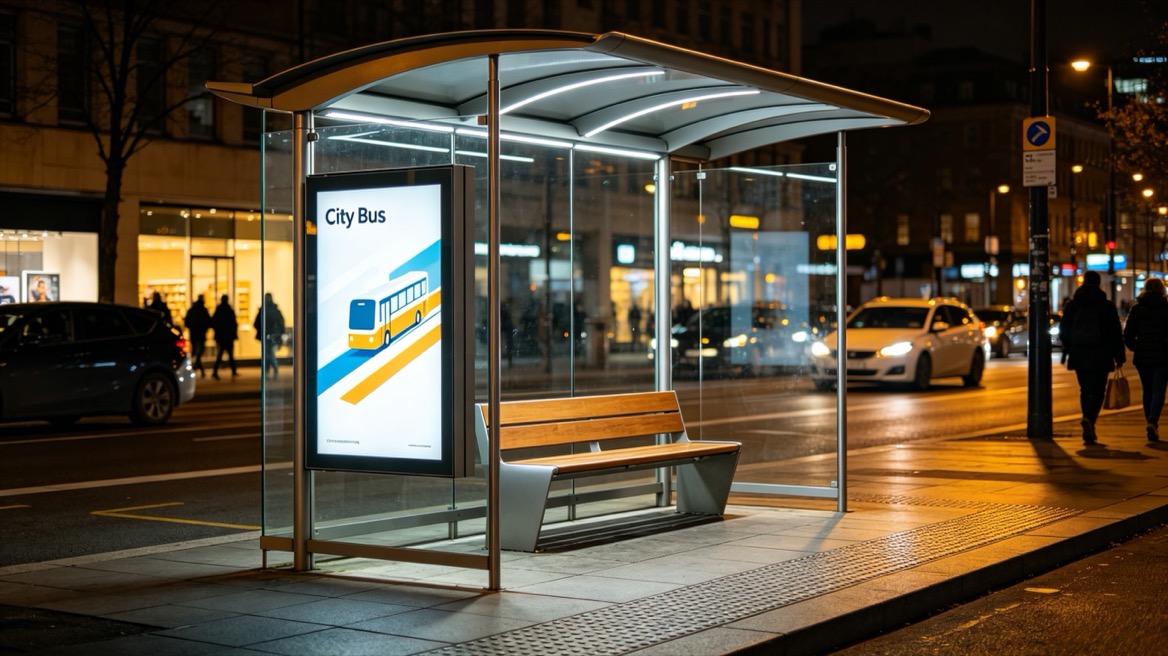
Screens, advertising cabinets, and electrical enclosures should not obstruct movement through the shelter.
U.S. Access Board guidance connects accessible routes serving transit stops with boarding areas and the required clear space inside shelters. This is a useful design reference, but projects must follow the requirements applicable to their own jurisdiction.
Review accessibility in the complete installation—not only in the shelter drawing. Pavements, foundations, kerbs, nearby street furniture, and boarding positions all affect usability.
Touchscreens should not become the only way to obtain essential travel information.
Consider a layered approach:
1. Continuously visible arrival information.
2. Readable route identification.
3. Optional touchscreen journey planning.
4. Push-button audio information where appropriate.
5. Printed fallback information.
Transport for London has described shelter displays with wheelchair-accessible mounting positions and push-button audio announcements. This illustrates how digital information can support different passenger needs rather than assuming everyone uses the same interface.
A large screen may still be difficult to read in direct sunlight or from the normal waiting position.
An outdoor display specification should address:
- Readability in expected daylight conditions.
- Viewing distance and angle.
- Reflections and glare.
- Automatic brightness adjustment.
- Nighttime light impact.
- Temperature management.
- Water and dust protection requirements.
Buyers should request evidence appropriate to the installation conditions. Terms such as "outdoor grade" are not a substitute for documented specifications and testing.
Interactive shelters introduce equipment that may need servicing more frequently than the structural frame.
Useful provisions include lockable service compartments, replaceable display modules, organized cable routes, and safe access to power components.
Procurement documents should identify who maintains each layer:
- Shelter structure.
- Displays and controllers.
- Connectivity.
- Transit-data integration.
- Passenger-facing software.
- Advertising content.
Without clear ownership, a screen fault can become a prolonged dispute between suppliers.
An interactive bus shelter needs an electrical design based on its actual equipment schedule.
Screens, lighting, communications devices, controllers, and optional charging functions all contribute to demand. Operating hours and seasonal conditions also matter.
Solar power may be suitable for some configurations, but it should not be specified as an automatic replacement for grid power.
A practical solar assessment should consider:
- Daily equipment energy consumption.
- Available solar exposure and shading.
- Seasonal generation.
- Battery autonomy.
- Battery operating temperature.
- Maintenance and replacement access.
Low-power information equipment and lighting may create a different energy requirement from large, continuously operating advertising screens.
Connectivity deserves similar attention. Specify how the system behaves when the network fails. Cached information should be distinguishable from current predictions, and outdated arrivals should not appear live.
Interactive shelters can combine public-service information with commercial media, but these functions need clear priorities.
An advertisement should not hide a disruption notice or force passengers to wait for the next content cycle to see arrivals.
Transport for London provides a useful operational example: its stated policy separates real-time bus information from advertising so arrival information remains visible and appropriately positioned.
Other operators may adopt different layouts, but the underlying question remains important: can passengers find essential information immediately?
Advertising income should also be treated cautiously. Commercial performance depends on local permissions, audience demand, concession arrangements, and media sales capability. It is not guaranteed by installing a digital display.
An interactive bus shelter normally introduces cost categories that a simpler shelter may not require. Their scale depends on equipment, location, service arrangements, and system integration.
Compare both options over the same evaluation period.
| Cost category | Questions for procurement teams |
|---|---|
| Manufacturing | What structure, finish, glazing, and equipment are included? |
| Installation | Are foundations, lifting, electrical works, and reinstatement included? |
| Integration | Who connects the transit feed and verifies information accuracy? |
| Operation | What power, connectivity, and software charges apply? |
| Maintenance | Who handles cleaning, inspection, repairs, and software support? |
| Replacement | Which components have planned replacement allowances? |
| Commercial return | Are advertising assumptions supported by an actual operating plan? |
A useful budgeting framework is:
Total ownership cost = acquisition + installation + integration + operation + maintenance + replacement − verified commercial income.
This is a planning framework, not a quotation. Avoid universal payback claims without project-specific evidence.
A staged pilot can reveal problems that drawings and factory demonstrations miss.
Record existing passenger questions, information availability, maintenance demand, and accessibility issues.
Include different operating conditions, such as an interchange, an exposed roadside location, and a lower-demand stop.
Agree on measurable outcomes before installation:
- Display and information-service availability.
- Arrival-prediction accuracy against observed departures.
- Journey-planning task completion.
- Accessibility issues identified during testing.
- Fault response and restoration times.
- Passenger satisfaction.
Define how each measure will be calculated. A powered-on screen is not necessarily a functioning information service.
Simulate connectivity loss, unavailable transit data, power interruption, and equipment faults.
Passengers should receive a clear fallback message rather than misleading information.
Compare findings with the baseline and local operating conditions. Adjust hardware, interface design, or service responsibilities before wider deployment.
Ainl is a Chinese manufacturer and solution provider specializing in smart city public facilities and outdoor advertising products.
According to our company profile, we bring 16 years of experience, a production footprint exceeding 260 mu, and approximately 150,000 square meters of factory space.
Our facilities include a provincial-level hardware and software research center, CNC sheet-metal processing, large-scale coating facilities, and an electrical testing laboratory.
Our stated qualifications include national high-tech enterprise status, Grade III steel-structure and municipal construction contracting qualifications, three management-system certifications, and Level III work-safety standardization certification.
For buyers, these capabilities provide a starting point for supplier evaluation. Project-specific documentation, applicable certification scope, testing requirements, and delivery responsibilities should still be verified.
Our OEM/ODM customization can cover dimensions, structure, colors, screen configurations, lighting, solar-power arrangements, and city-branding elements.
Send Ainl your project brief and site information to request a tailored OEM/ODM proposal. Ask us to distinguish the essential shelter specification from optional digital features, with clear assumptions for power, integration, installation, and maintenance.
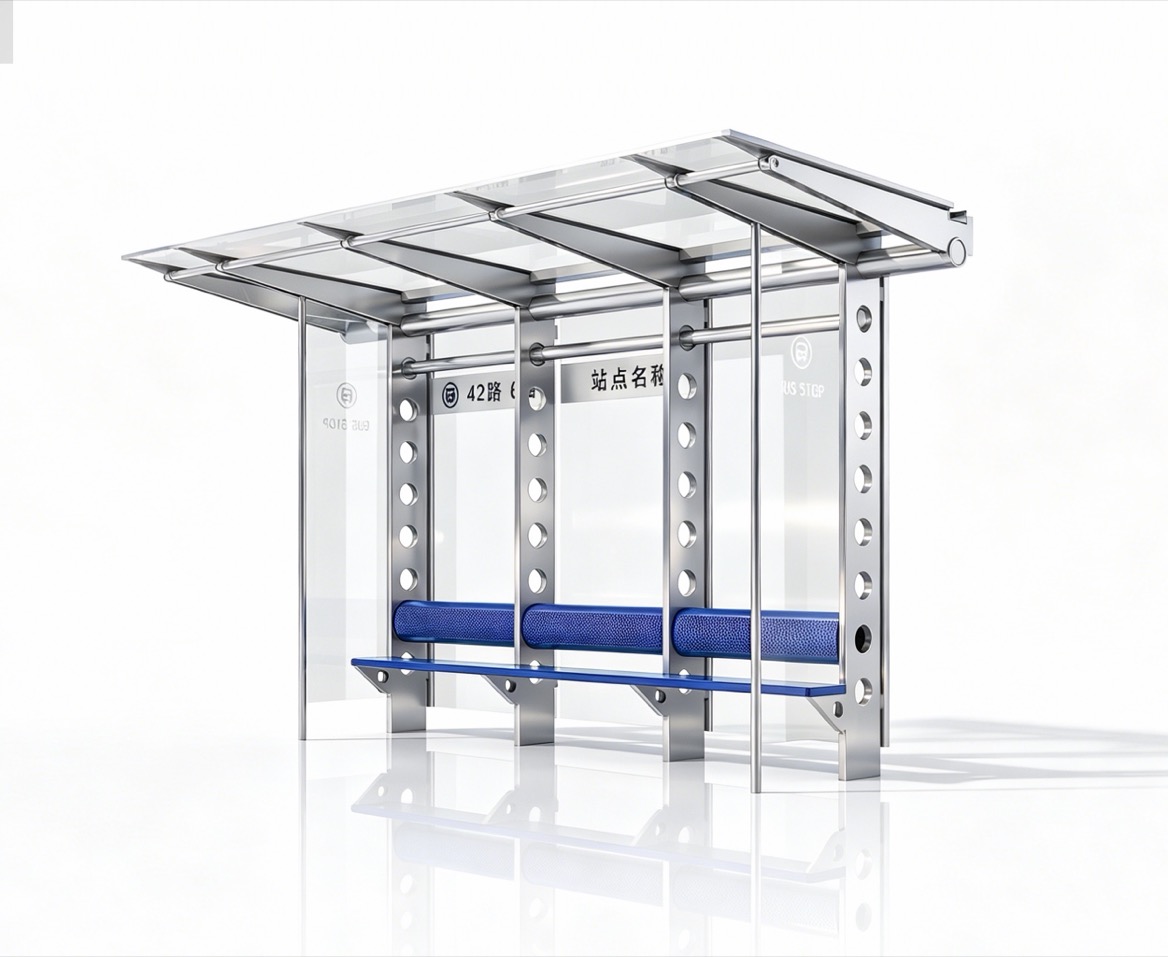
A standard shelter primarily provides protection and fixed information. An interactive shelter adds passenger-controlled functions, such as destination searches, route selection, or requested audio announcements.
No. A screen that only plays scheduled content is digital but not necessarily interactive. Passenger input or a requested response distinguishes an interactive function.
Potentially. First assess structural capacity, mounting space, power, cable routing, accessibility, and maintenance access. Some installations may be better suited to partial upgrades or replacement.
Possibly, depending on equipment demand, operating hours, local solar conditions, and battery capacity. A project-specific energy assessment is necessary before confirming the configuration.
Interactive shelters offer more opportunities for personalized information. Standard shelters can still serve passengers effectively when routes are straightforward and printed information is clear and current.
Provide site drawings, quantities, climate conditions, branding requirements, passenger-information needs, power availability, and applicable standards.
- [Watkins et al. — "Where Is My Bus? Impact of Mobile Real-Time Information on the Perceived and Actual Wait Time of Transit Riders"]. Published in *Transportation Research Part A* in 2011. Research basis for the discussion of real-time information and waiting experiences; the study concerns mobile information rather than shelter-specific performance. [sciencedirect]
- [Transportation Research Board — "Assessing the Impacts of Real-Time Transit Information"]. Research summary reporting findings on actual waiting time, perceived waiting time, and passenger frustration. [onlinepubs.trb]
- [U.S. Access Board — "Accessible Routes" Technical Guide]. Source for accessible-route connections serving public transportation stops, boarding areas, and shelter clear spaces. [access-board]
- [Transport for London — "New Real-Time Information Signs and Technology to Make Bus Travel Easier in London"]. Published March 1, 2023. Operational example covering live arrivals, route information, wheelchair-accessible display positioning, and push-button audio. [tfl-newsroom.prgloo]
- [Greater London Authority — "Countdown at Bus Stations"]. Answer dated January 10, 2024. Source for the stated separation of real-time passenger information and advertising. [london.gov]


